
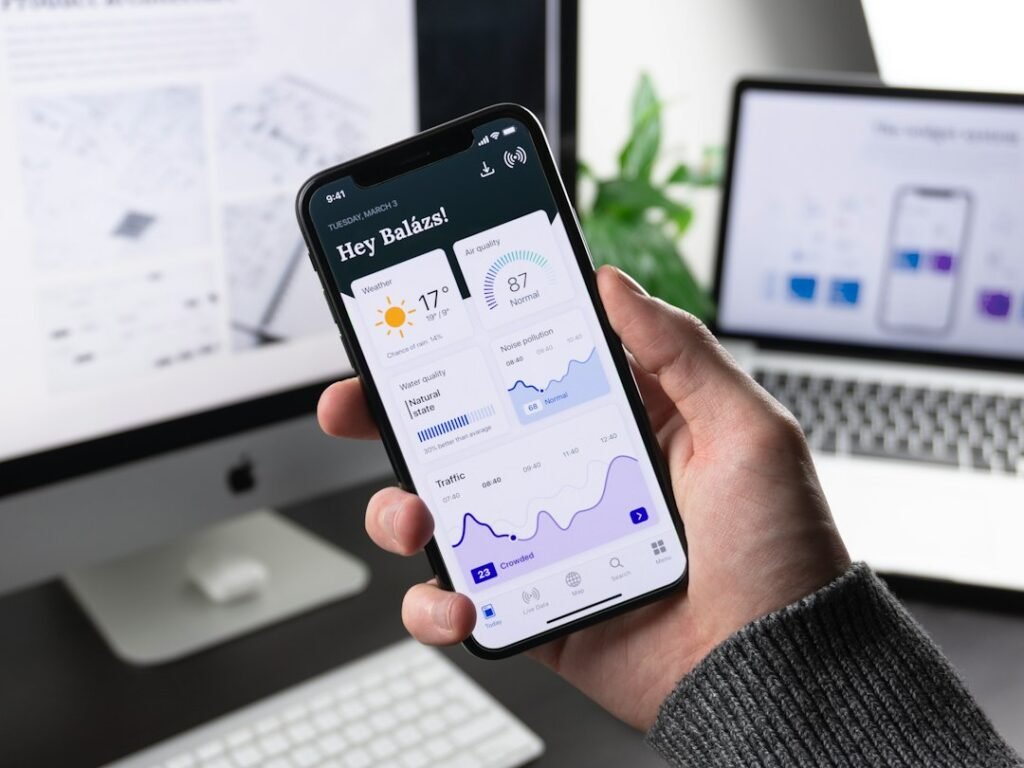
Mobile app development is the process of planning, designing, building and launching an app for smartphones and tablets, so your customers can use your services from the device they carry everywhere. For a small business, the right app can make it easier to book, buy, order or stay in touch, but only if it solves a real problem.
This guide explains when a business needs an app, how development works and how to avoid the most common mistakes.
Does your small business need a mobile app?
Not every business does. A fast, mobile-friendly website is often enough to get started. An app makes sense when customers will use your service repeatedly, or when you need features a website handles poorly, such as push notifications, offline access, or deeper use of the phone’s camera and location.
Ask yourself three questions:
- Will people use it often? Apps work best for repeat tasks such as bookings, orders, loyalty or account access.
- What problem does it solve? A clear problem beats a long list of features.
- Could a website do the same job? If so, start there. See our guide to SEO-friendly web design.
Types of mobile apps
Native apps
Native apps are built separately for iPhone (iOS) and Android. They offer the best performance and full access to device features, but building for both platforms takes more work.
Cross-platform apps
Cross-platform tools let developers build one app that runs on both iOS and Android. This can reduce time and cost, and works well for many business apps.
Progressive web apps
A progressive web app is a website that behaves like an app, with a home-screen icon and some offline features. It is not downloaded from an app store, which can make it a lighter first step.
How the mobile app development process works
1. Discovery and planning
Define your goal, your audience and the main tasks users should complete. Decide which features are essential for a first version.
2. Design
Designers create the layout and user flow, then the visual style. Good design makes the app easy to use with one hand, with clear buttons and simple steps.
3. Development
Developers build the app and connect it to any systems it needs, such as a database, payments or your existing website.
4. Testing
The app is tested on different devices and screen sizes to find bugs, slow screens and usability problems before real customers see it.
5. Launch
Apps are published through the Apple App Store and Google Play, and each store reviews them against its own guidelines. Allow time for this review.
6. Maintenance and updates
Apps need ongoing updates for new phone software, security fixes and improvements based on user feedback. Plan for this from the start.
What affects the cost of an app?
There is no single price, because every app is different. The main factors are:
- The number and complexity of features
- Whether you build for iOS, Android or both
- The amount of custom design
- Connections to other systems, such as payments or accounts
- Ongoing maintenance and support
Starting with a focused first version keeps the project manageable and lets you learn from real users before adding more.
Common mobile app mistakes to avoid
- Building without a clear goal. Know what success looks like first.
- Trying to include every feature at launch. Start with what matters most.
- Ignoring the user experience. If it is hard to use, people delete it.
- Forgetting about promotion. An app does not bring users on its own. Plan how people will find and download it.
- Skipping maintenance. Apps that are not updated stop working well over time.
How to get people to use your app
Mention the app on your website, in your emails and on your social channels, and make it easy to download with a clear link. Keep your Google Business Profile and website details consistent so customers can find you in every place they look.
Frequently asked questions
How long does it take to build a mobile app?
It depends on the scope. A simple app takes much less time than one with many features and integrations. A clear plan and a focused first version help keep timelines realistic.
Should I build for iPhone, Android or both?
Choose based on where your customers are. Many businesses build for both using a cross-platform approach, while others start with one platform and expand later.
Do I need an app if I already have a website?
Not always. If customers can do everything they need on a mobile-friendly website, you may not need an app yet. An app becomes useful when you need repeat engagement or device features.
Who maintains the app after launch?
You need a plan for updates, bug fixes and store requirements. Many businesses keep their development partner on to handle this.
Ready to plan your app?
Our team helps businesses turn an idea into a clear plan and a working app. Learn about our mobile app development service or book a free strategy call.

admin
Part of the TechGrowthAI team, sharing practical ideas on marketing, technology and growth.
Related articles

Tech News November 2026: What It Means for You
The biggest tech stories of November 2026, from a record crypto hack to AI in everyday devices, and what each one means…
Read article
AI Is Reshaping Global Capital, Economies and Business
AI is driving record investment, new economic shifts and deep corporate change. See where the money is going, what the data shows,…
Read article