
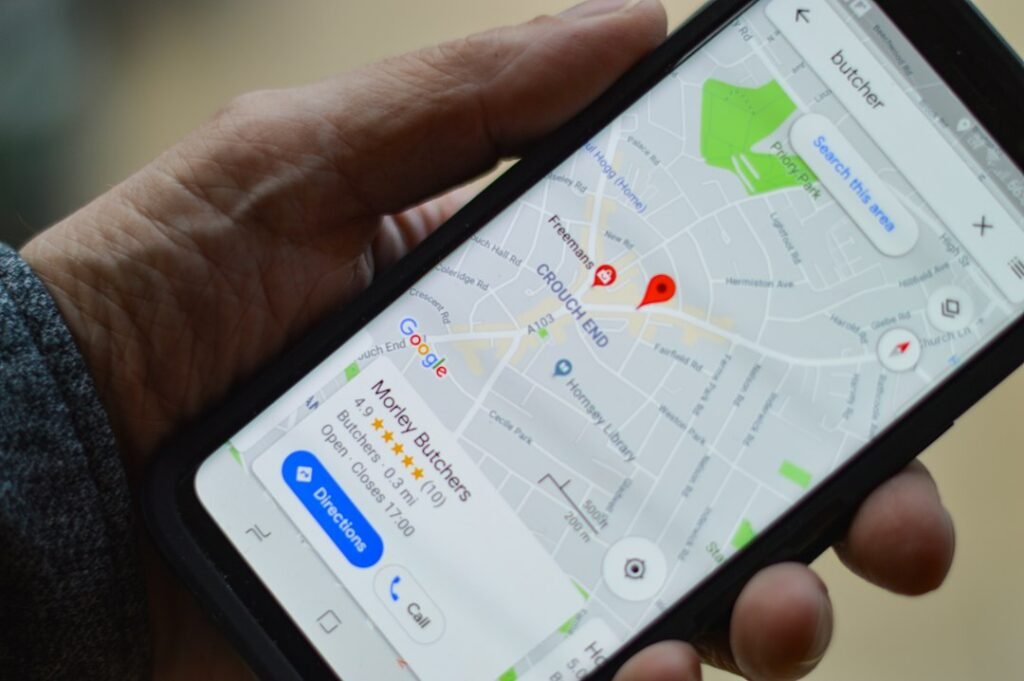
Google Business Profile optimization is the process of improving your free Google listing so nearby customers can find, trust and contact your business in Google Search and Google Maps. A complete, accurate and active profile is one of the most practical ways to improve your local visibility.
This guide explains what a Google Business Profile is, why it matters, and gives you a simple checklist you can follow today.
What is a Google Business Profile?
A Google Business Profile is a free listing that shows your business information directly on Google. It can include your business name, address or service area, opening hours, phone number, website, photos, services, posts and customer reviews. It appears when people search for your business by name and when they search for what you offer nearby.
Why does it matter for local businesses?
When someone searches for a service in their area, your profile is often the first thing they see. It gives customers what they need to act: call you, get directions, visit your website or read what other customers say. A profile that is complete and well maintained builds trust before a customer ever reaches your website.
Google Business Profile optimization checklist
1. Claim and verify your profile
Make sure you own your listing and have completed Google’s verification. An unverified profile limits what you can edit and how well it can perform.
2. Choose the right primary category
Your primary category tells Google what your business is. Pick the one that best describes your main service, then add secondary categories only where they are accurate.
3. Keep your business details consistent
Your business name, address and phone number should match exactly across your profile, your website and other online listings. Inconsistent details confuse both customers and search engines.
4. Write a clear business description
Explain what you do, who you serve and what makes you different in plain language. Write for people first and avoid stuffing keywords. Google allows up to 750 characters.
5. List your services and products
Add the services you offer with short, accurate descriptions. This helps Google understand your business and helps customers see what you can do for them.
6. Add real photos
Upload clear photos of your location, team, work and products. Real photos build more trust than generic images, and you should refresh them from time to time.
7. Post regular updates
Use posts to share offers, news and updates. Regular activity shows customers that your business is open and active.
8. Ask for reviews and reply to them
Reviews influence both trust and visibility. Ask happy customers to leave an honest review, and reply to every review, positive or negative, in a professional tone. Never buy reviews or offer rewards for them, as this goes against Google’s policies.
Common mistakes to avoid
- Adding keywords to your business name. Use your real business name only. Keyword stuffing can get your profile suspended.
- Leaving details out of date. Wrong hours or a changed phone number cost you customers.
- Ignoring reviews. Unanswered reviews, especially negative ones, send the wrong message.
- Creating duplicate listings. One business should have one profile for each location.
- Setting it up once and forgetting it. Optimization is ongoing work, not a one-time task.
How Google Business Profile and local SEO work together
Your profile is one part of local SEO. Your website still matters: clear service pages, accurate location information and a good mobile experience all support your listing. When your profile and your website tell the same story, Google can understand your business more easily and customers are more likely to choose you.
How long does it take to see results?
There is no fixed timeline. Results depend on how complete your profile is, how much competition there is in your area and how consistently you keep it updated. Treat it as an ongoing part of your marketing rather than a quick fix.
Frequently asked questions
Is a Google Business Profile free?
Yes. Creating and managing a Google Business Profile is free.
Do I need a physical location?
Not always. Service-area businesses that travel to customers can set a service area instead of showing a public address, as long as they meet Google’s guidelines.
How often should I update my profile?
Check your details regularly, add posts and photos often, and reply to reviews as they arrive. Review your profile at least once a month.
Can I optimize it myself, or should I hire help?
You can handle the basics yourself using the checklist above. If you want a clear strategy, ongoing management and results tracking, a specialist team can save you time.
Google updates its guidelines from time to time, so always check Google’s official Business Profile help pages for the latest rules.
Need help with your Google Business Profile?
Our team can set up, optimize and manage your profile as part of a wider local growth plan. Explore our Google Business Profile SEO service or book a free strategy call.

admin
Part of the TechGrowthAI team, sharing practical ideas on marketing, technology and growth.
Related articles

Tech News November 2026: What It Means for You
The biggest tech stories of November 2026, from a record crypto hack to AI in everyday devices, and what each one means…
Read article
AI Is Reshaping Global Capital, Economies and Business
AI is driving record investment, new economic shifts and deep corporate change. See where the money is going, what the data shows,…
Read article